
Cryptocurrency
How to pay for subscription using Cryptocurrency
If you’re new to crypto, start by creating a crypto wallet or signing up on an exchange. If you already own cryptocurrency, feel free to jump straight to Step 3.
Step 1 — Download a Crypto Wallet
There are many crypto wallet apps to choose from. In this tutorial, we’ll use Trust Wallet as an example.
You can download it from the App Store (iOS) or Google Play (Android), or use the browser extension.
Tap the icon below to download Trust Wallet:
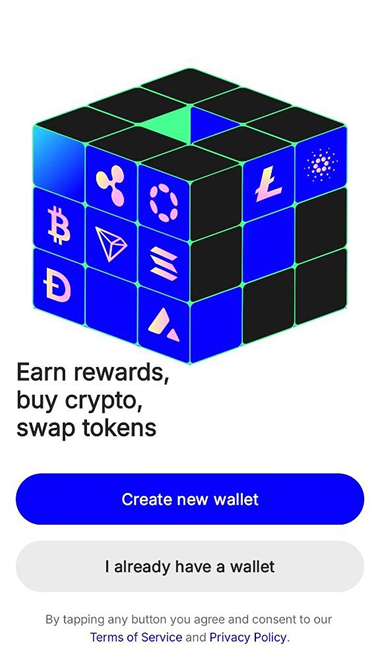
After installing Trust Wallet, follow the instructions in the app to create your first wallet.
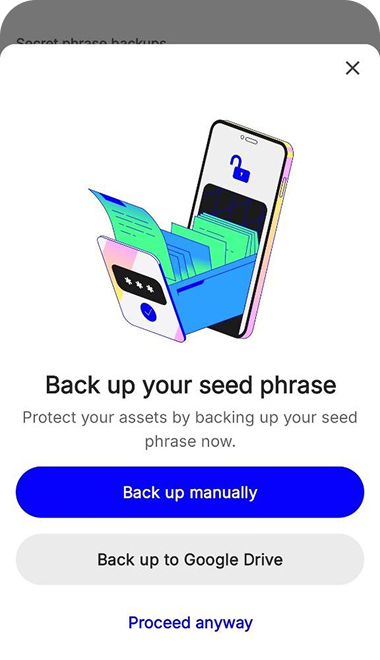
Important: Carefully write down and safely store your recovery phrase (seed phrase). Losing it means losing permanent access to your funds.



Step 2 — Buying Cryptocurrency in the Trust Wallet App
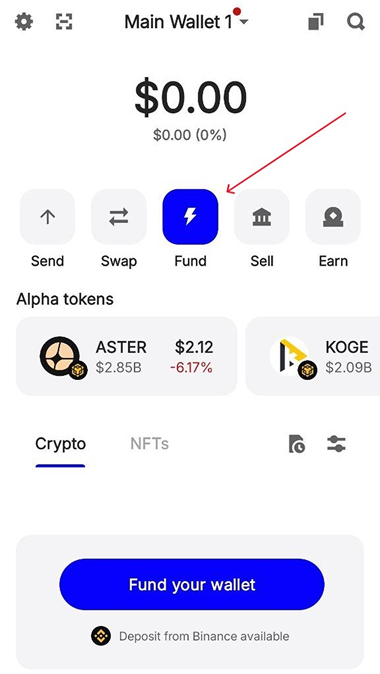
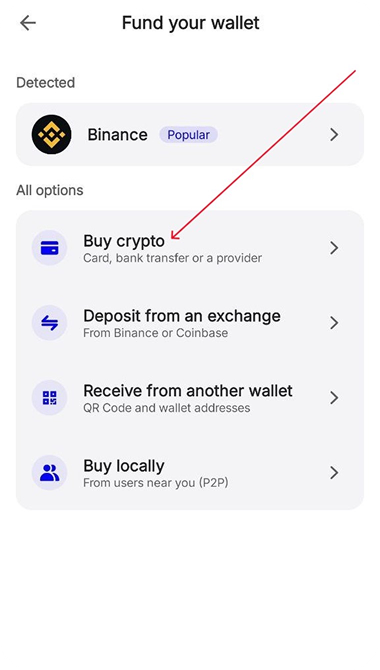
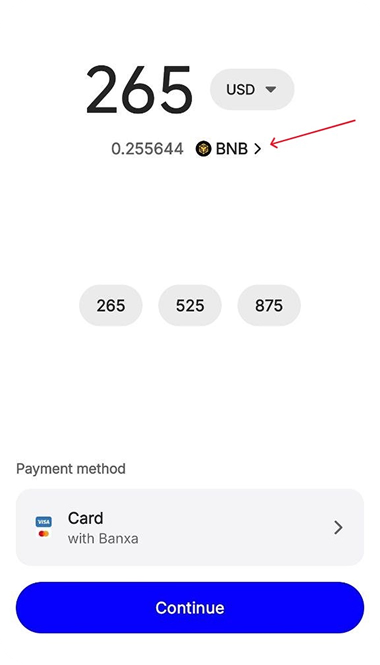
On the main wallet screen, tap the «Fund» button to open the purchase page, then tap «Buy Crypto».
Enter the fiat currency you want to pay with and select USDT on the TRC20 (Tron) network. This is the only crypto we accept.
Please note that the price may vary depending on your region and the amount. You may also be required to complete KYC (identity verification) during this step.
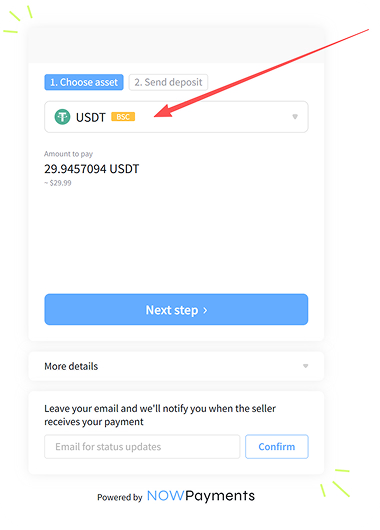
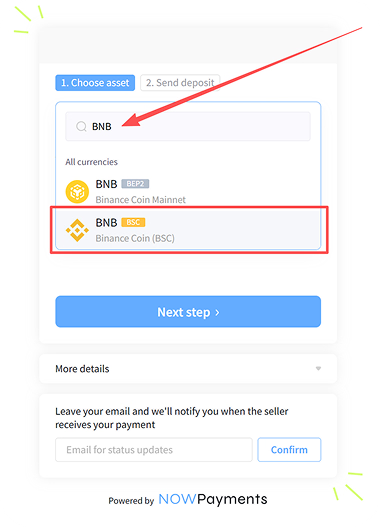
We only accept USDT TRC20. Sending any other coin or USDT on a different network (ERC20, BEP20, SOL, etc.) will not credit your pack.
Step 3 — Place Your Order with Cryptocurrency
On AI SLUTBOT, choose your Slutcoin pack, open checkout, select Crypto (USDT TRC20 only), and click Pay. You will be redirected to the NOWPayments page.
Step 4 — Complete the Payment in Your Wallet
On the NOWPayments page, pay with USDT on the TRC20 (Tron) network only. Do not switch coin or network.
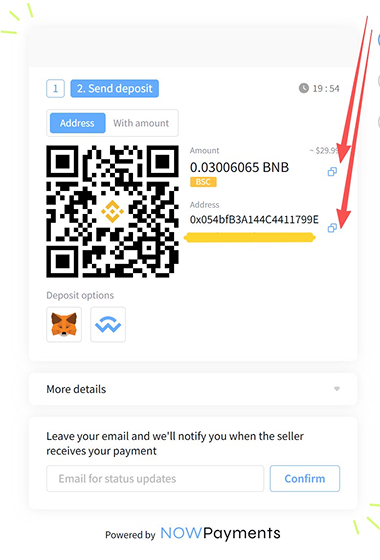
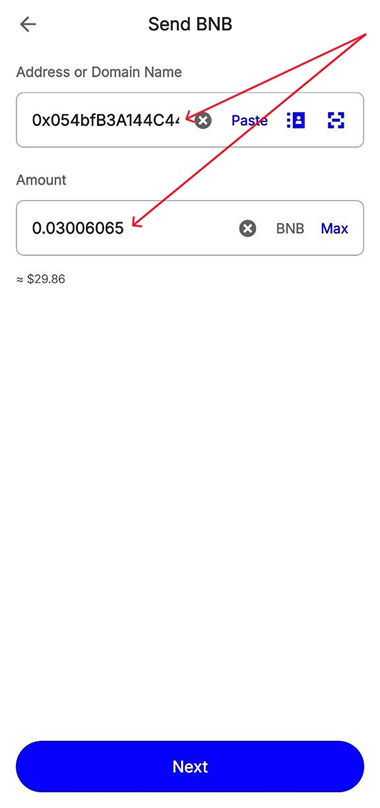
Copy the payment amount and the wallet address shown on the order page.
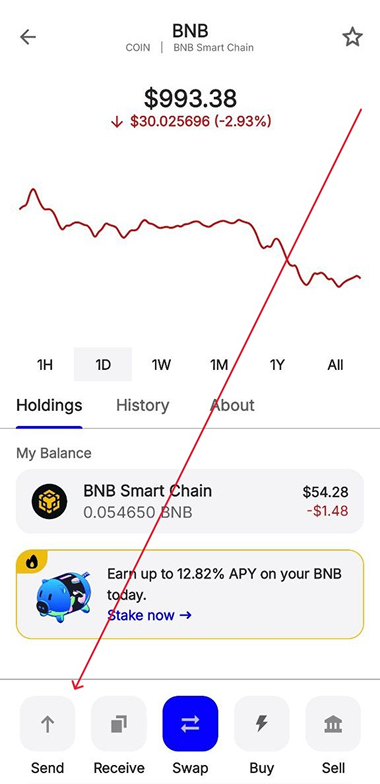
In Trust Wallet, select USDT (TRC20), tap “Send”, paste the payment address, enter the exact amount, and confirm the transaction.
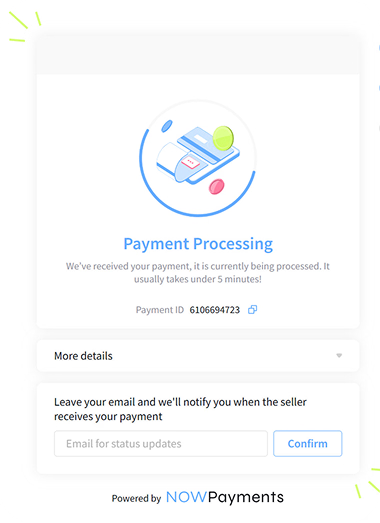
Once the payment is successfully sent, your AI SLUTBOT Slutcoins will be activated right away! 🔥
Tips
- The most common mistake is sending USDT on the wrong network. We only accept USDT TRC20 (Tron). USDT on ETH, BSC, or Solana will not credit your order.
- Another common mistake is when the order gets stuck in a “partially paid” status. This usually happens if you forgot to account for the network fee (gas fee). Send the exact amount shown after network fees.
- If you encounter any payment issues, please contact our support via email at support@aislutbot.com and we will help you immediately!
Still have questions about crypto payment?
Email us at support@aislutbot.com and our team will help you complete the payment.
Contact Support — support@aislutbot.comPrefer the other method? Telegram Stars payment tutorial


